
Download and install
Wira Bandar PC is a fork of OpenTTD: OpenTTD's code with changes, free software under the GNU GPL v2. About and credits
Wira Bandar PC comes as a zip file for 64-bit Windows. There is no installer: you unzip it and run
wirabandar.exe. It doesn’t touch your OpenTTD installation, so you can keep playing both.
The download always has the newest build. Its release page, Wira Bandar PC: latest Windows build, says which version of the code it was built from.
Install it
Section titled “Install it”-
Download
wirabandar-windows-x64.zipwith the button above (about 13 MB). -
Unzip it: in File Explorer, right-click the zip, choose Extract All…, then Extract. You get a folder named like
wirabandar-20261108-city-g7d480f2e59-windows-win64, with the date and version of the build in its name. -
Put that folder where you like to keep games, for example on your Desktop, in
Documents, or inC:\Program Files\wirabandar(Windows asks for administrator permission to copy intoC:\Program Files). Wira Bandar PC keeps its settings and saves in your Documents folder, not next to the program, so any folder works. -
Open the folder and double-click
wirabandar.exe.
“Windows protected your PC”
Section titled ““Windows protected your PC””The program isn’t code-signed, so the first time you start it Windows SmartScreen may show a blue window saying Windows protected your PC.
- Click More info.
- Check that the app is
wirabandar.exe, then click Run anyway.
A new build is a new file, so you may see the warning again after an update.
The first start
Section titled “The first start”The first time it starts, Wira Bandar PC makes its own folder, Documents\Wira Bandar. If you have
played OpenTTD on this computer, it copies your OpenTTD settings and saves into it, and it keeps using
the graphics, NewGRFs and AIs you installed for OpenTTD: see
Folders and settings.
Then you see the main menu. Its title bar says Wira Bandar PC, a fork of OpenTTD.
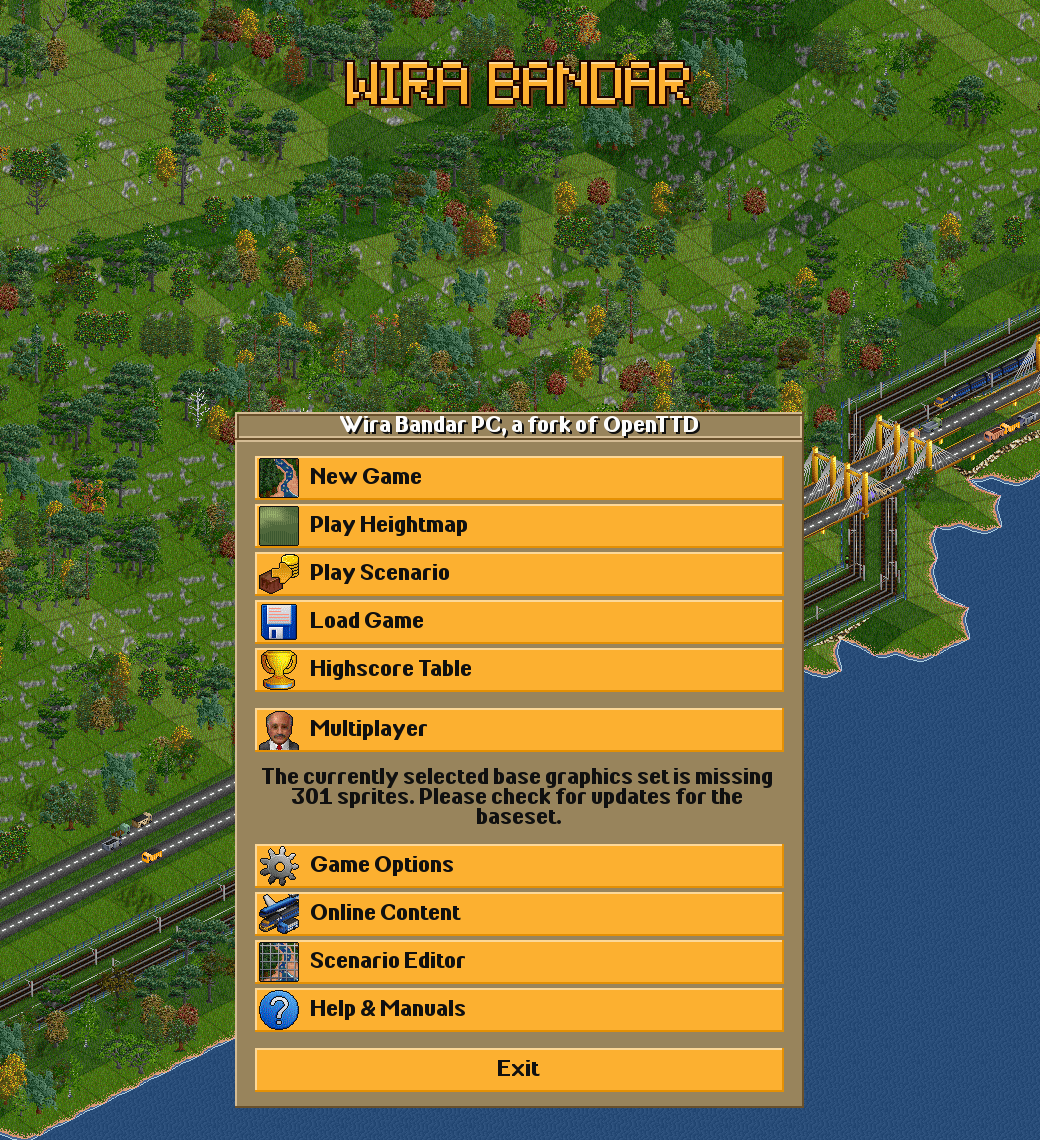
No graphics yet?
Section titled “No graphics yet?”Wira Bandar PC uses the same graphics as OpenTTD, and the zip doesn’t include a graphics set. If you have OpenTTD with graphics installed, they are found automatically. If not, the game asks:
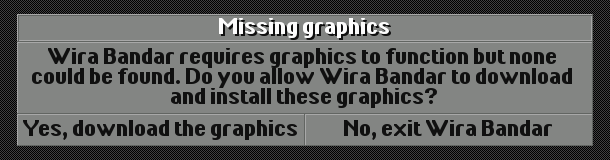
Click Yes, download the graphics. It downloads OpenGFX, the free graphics set, from OpenTTD’s online content service and starts. If the download fails, see Graphics, NewGRFs and AIs for installing a set by hand.
Updating
Section titled “Updating”To update, download the zip again and replace the old folder with the new one (or keep both). Your
settings and saves are in Documents\Wira Bandar, so they stay. Saves from an older build load in a
newer one.
Uninstalling
Section titled “Uninstalling”Delete the program folder. If you also want to remove your settings and saves, delete
Documents\Wira Bandar too. Your OpenTTD folder, Documents\OpenTTD, is never changed by Wira Bandar
PC.
Other systems
Section titled “Other systems”Only a 64-bit Windows build is published. Wira Bandar PC is built and tested on Linux too, but there is no ready-made download for Linux or macOS. The source code is on GitHub under the GNU GPL v2, and it builds the same way as OpenTTD.
Wira Bandar PC is a fork of OpenTTD. It is OpenTTD's code with changes, not a game made from scratch. OpenTTD is made by the OpenTTD team and contributors and is free software under theGNU General Public License version 2; Wira Bandar PC keeps that licence, OpenTTD's credits and copyright notices.Source code ·OpenTTD ·About and credits
Wira Bandar PC is not made or supported by the OpenTTD team, so please don't report its bugs to OpenTTD (see FAQ and troubleshooting).