Bus lanes and bus priority
Wira Bandar PC is a fork of OpenTTD: OpenTTD's code with changes, free software under the GNU GPL v2. About and credits
Town traffic fills town roads with cars, and a congested road slows every road vehicle on it, your buses too. Bus priority lets buses past the queues: bus lanes, give-way markings at stops and bus signals at traffic lights, all on one toolbar, plus a road type that only buses may use. Faster buses mean more trips with the same fleet and riders who wait less.
Open the Bus Priority toolbar
Section titled “Open the Bus Priority toolbar”- On the main toolbar, click Build roads (the road icon; tooltip Build road infrastructure) and choose Road construction. Shift+F8 opens the road toolbar too.
- In the Road Construction toolbar, click the bus priority button (a bus over a red lane; tooltip Bus priority: bus lanes, give-way markings at stops and bus signals at traffic lights), or press Y.
- The Bus Priority toolbar opens. Click a button, or press its number key while the toolbar is open.
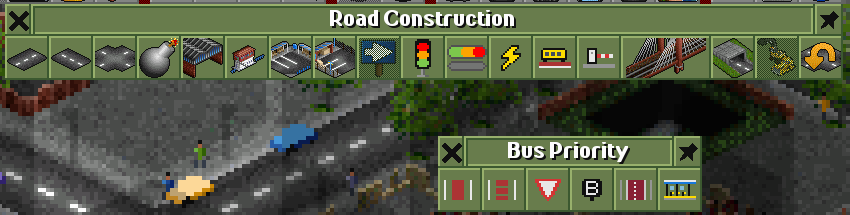
The six buttons, left to right:
| Key | Button | Tooltip begins |
|---|---|---|
| 1 | red lane | Paint bus lanes, all day |
| 2 | dashed red lane | Paint bus lanes for the peak hours |
| 3 | red triangle | Paint give-way markings at a bus stop |
| 4 | B | Give traffic lights bus signals |
| 5 | red lane between kerbs | Build a kerbed busway in the middle of the road |
| 6 | platform with a roof | Make a drive-through bus stop a BRT station |
The last two are for bus rapid transit: see busways and BRT. With every tool, holding Ctrl removes instead of builds.
Paint bus lanes
Section titled “Paint bus lanes”- Click the all-day lane button (1) or the peak lane button (2).
- Drag along a straight road. Every piece of road and every drive-through stop under the drag gets a lane; other tiles are skipped.
- To remove lanes, Ctrl+drag over them with either lane tool.
Lanes go on your own roads, town roads and roads nobody owns, and on drive-through stops on them. They don’t go on bus-only roads (… bus lanes go on roads (not on bus-only roads)), and a drag must stay on one line (… drag along a straight road). Painting one kind of lane over the other swaps it. An all-day lane costs a third more a tile than a peak lane.
All day or peak hours?
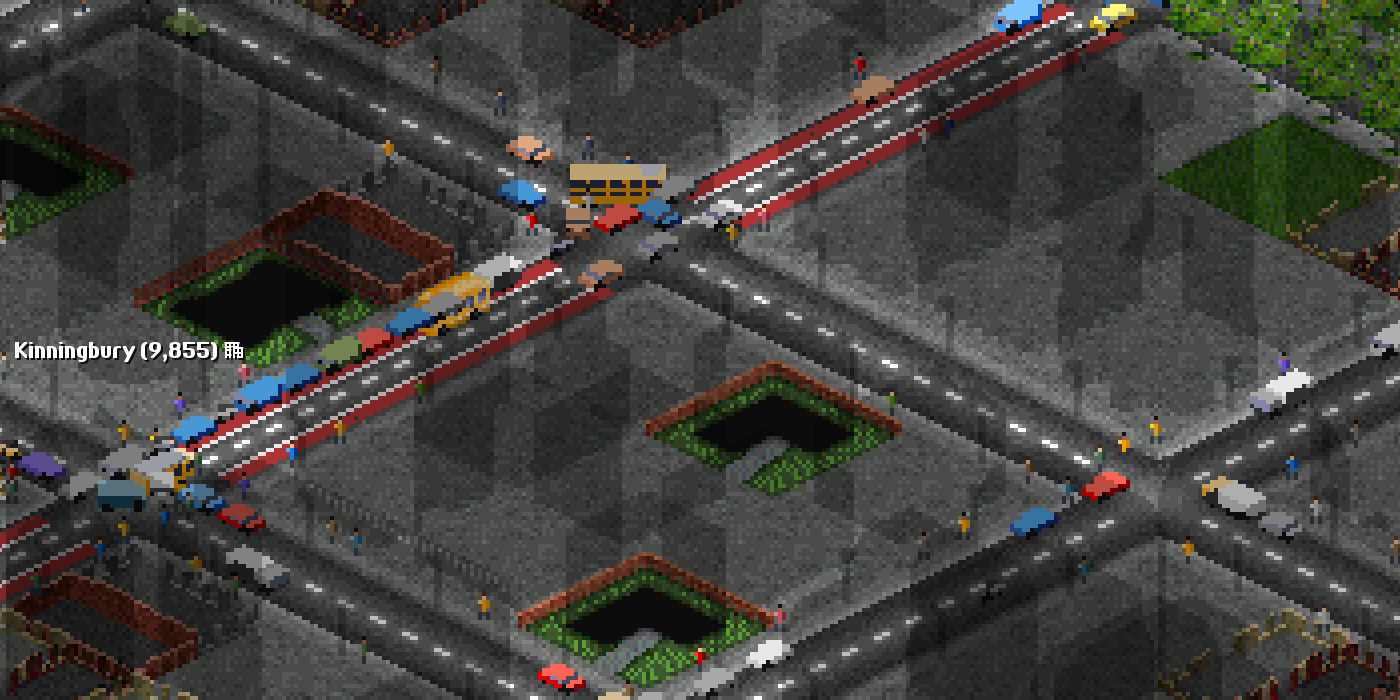
Section titled “All day or peak hours?”- All day: buses on the lane ignore town traffic and drive as if the road were empty. Everyone else, your lorries, other companies’ vehicles and the town’s cars, is a lane short there: the road counts as one congestion level busier for them.
- Peak hours: buses see the road as two congestion levels quieter, and the other traffic keeps its lanes. With the city clock on, peak lanes are bus lanes only in the rush hours (and work like all-day lanes then); the rest of the day they are open to all. Without the clock they help buses a little all day and cost the other traffic nothing.
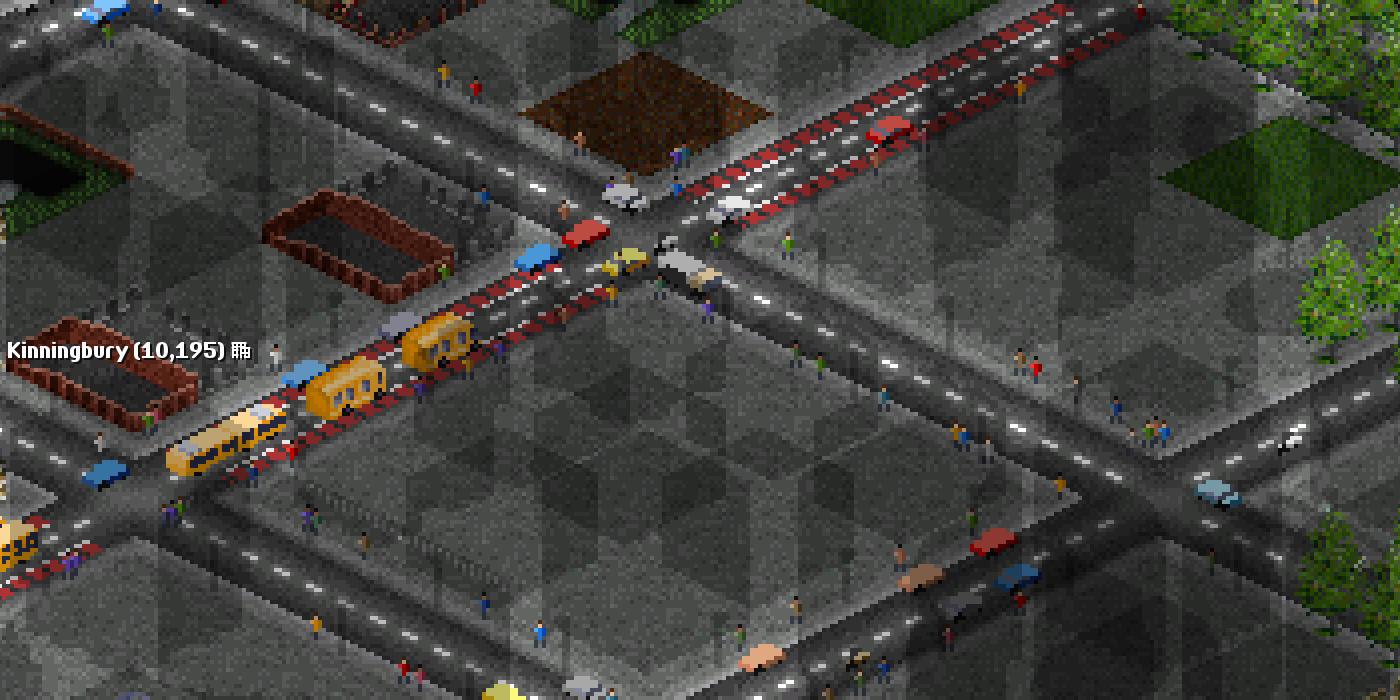
The road pathfinder counts a congested road as longer, and on a lane it uses the lighter congestion a bus sees there. So buses prefer routes along bus lanes. Lanes stay when you build a drive-through stop on them or remove the stop, and go when the road goes. Land Area Information on a lane says Bus lane: all day: buses pass town traffic, other traffic is slower or Bus lane: peak hours: buses get through town traffic faster.
Give-way markings at stops
Section titled “Give-way markings at stops”- Click the give-way button (3).
- Click one of your bus stops. On a drive-through stop, yellow zigzags show the markings.
- To remove them, Ctrl+click the stop.
On the road tiles next to a stop with markings, buses ignore town traffic: the cars give way, and a bus pulls out of the stop ahead of the queue. The markings go with the stop. They only help where the road by the stop is congested; at a stop on a quiet road they change nothing.
Bus signals at traffic lights
Section titled “Bus signals at traffic lights”- Click the bus signal button (4).
- Click a junction with traffic lights. A B lamp appears on top of each light post.
- To switch them off, Ctrl+click the junction.
You can also switch them in the Traffic lights in … window: click Bus signals. They work on your own lights and on public ones.
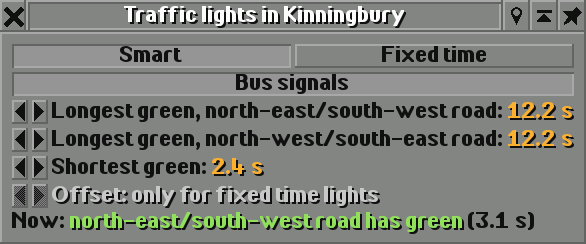
What bus signals do:
- Buses get green a moment before the other traffic, at the end of the all-red time. The B lamp lights up when buses may go.
- Smart lights also turn green early for a bus waiting on the red road (after half the shortest green), and stay green for a bus that is about to cross, up to two tiles before the junction (up to the longest green).
- Fixed time lights keep their cycle, so green waves stay as you set them; only the head start applies.
In a test with 13 buses on one 16-tile line through a town centre, four smart traffic lights cut the buses’ departures from 13 to 10 a month. With bus signals the lights cost the buses nothing (13.4), while all-day lanes along the line raised departures to 17.8 (+35%) and peak lanes to 16.5 (+25%).
Bus-only roads
Section titled “Bus-only roads”- On the main toolbar, click Build roads and choose Bus-only road construction.
- The Bus-only Road Construction toolbar works like the road toolbar: build road, bridges and tunnels.
- To turn one of your own roads into a bus-only road, use its convert tool (tooltip Convert/Upgrade the type of road). Town roads can’t be converted.
Only buses may drive on a bus-only road. Lorries and other road vehicles route around it, and one with an order for a stop on it can’t get there. Town traffic and street-life cars stay off, so it never congests, and towns neither build it nor put houses along it. It costs the same as ordinary road and is drawn with a red carriageway. For the BRT score it counts as a busway.
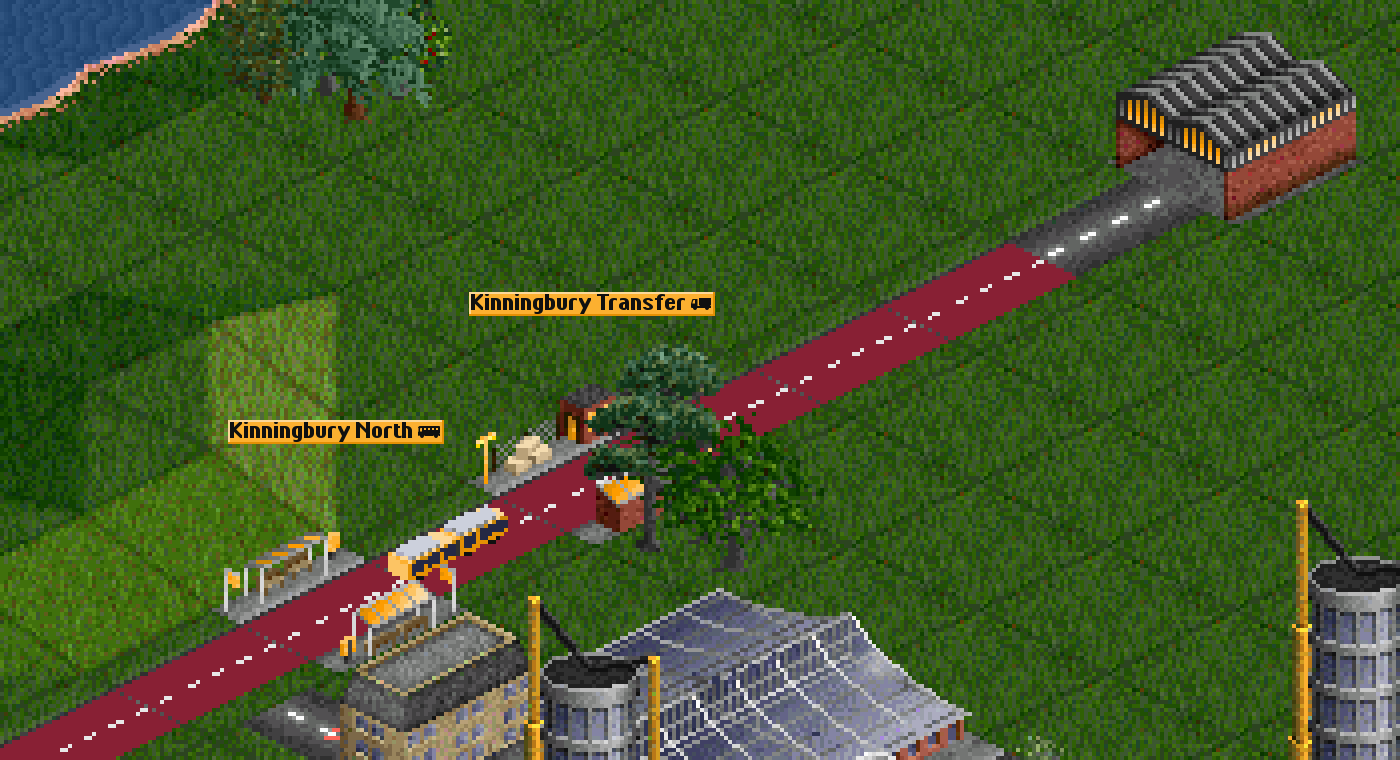
- Turn on the traffic overlay (O in the road toolbar, see the traffic map) and paint lanes where your bus routes show yellow, orange or red.
- All-day lanes make the road slower for everyone else, your own lorries included. On a road your lorries use too, peak lanes cost them nothing.
- In big towns, houses hide the roads. Ctrl+3 makes houses see-through so you can see your lanes and markings.
- Put give-way markings at stops on congested roads, especially where buses pull out into a queue.
- Add bus signals wherever your buses cross lit junctions: lights without them slow buses down.
Switching it off
Section titled “Switching it off”There is nothing to switch off: bus priority exists only where you build it, and Ctrl removes it. Lanes and give-way markings only change anything where town traffic congests the road: with Town traffic set to Off (see town traffic) they make no difference to speed, though lanes still count for the BRT score. Bus signals give their head start either way.
See also
Section titled “See also”- Busways and BRT: kerbed busways, BRT stations and the BRT score
- Traffic lights: building lights and setting their timings
- Town traffic and street life: what congests the roads
- Rush hours and on-demand lines: peak lanes with the city clock
- Build a BRT corridor: a step-by-step example
Wira Bandar PC is a fork of OpenTTD. It is OpenTTD's code with changes, not a game made from scratch. OpenTTD is made by the OpenTTD team and contributors and is free software under theGNU General Public License version 2; Wira Bandar PC keeps that licence, OpenTTD's credits and copyright notices.Source code ·OpenTTD ·About and credits
Wira Bandar PC is not made or supported by the OpenTTD team, so please don't report its bugs to OpenTTD (see FAQ and troubleshooting).