
Folders and settings
Wira Bandar PC is a fork of OpenTTD: OpenTTD's code with changes, free software under the GNU GPL v2. About and credits
Wira Bandar PC has its own folder, so it never changes OpenTTD’s. On the first start it copies your OpenTTD settings and saves, and it keeps finding everything you installed for OpenTTD.
Its own folder: Documents\Wira Bandar
Section titled “Its own folder: Documents\Wira Bandar”Everything Wira Bandar PC writes goes into a folder called Wira Bandar in your Documents folder (if Windows keeps your Documents in OneDrive, it is there):
DirectoryDocuments
DirectoryWira Bandar
- openttd.cfg the settings (the file keeps OpenTTD’s name)
- hotkeys.cfg keyboard shortcuts
- windows.cfg window sizes
- private.cfg your player name for multiplayer
- secrets.cfg multiplayer passwords and keys
- favs.cfg favourite servers
- hs.dat the highscore table
Directorysave/ your saves
Directoryautosave/
- …
Directoryscenario/
Directoryheightmap/
- …
Directorybaseset/ graphics sets you add by hand
- …
Directorynewgrf/ NewGRFs you add by hand
- …
Directoryai/
- …
Directorygame/ game scripts
- …
Directoryscreenshot/
- …
Directorycontent_download/ what you download with Online Content
- …
DirectoryOpenTTD/ OpenTTD’s folder, never changed by Wira Bandar PC
- …
The game makes these folders when it starts; content_download appears with your first download.
What the first start copies from OpenTTD
Section titled “What the first start copies from OpenTTD”The first time Wira Bandar PC starts, if Documents\Wira Bandar has no openttd.cfg yet and
Documents\OpenTTD has one, it copies:
- the settings files:
openttd.cfg,hotkeys.cfg,windows.cfg,private.cfg,secrets.cfg,favs.cfgandhs.dat; - the whole
savefolder, with the autosaves.
It only copies. Nothing in Documents\OpenTTD is moved, changed or deleted, and a file that is already
in Documents\Wira Bandar is kept. After the first start the two folders are separate: settings you
change in one game don’t change the other, and new OpenTTD saves don’t appear in Wira Bandar PC
(see Saves to bring them over).
Where it looks for graphics, NewGRFs, AIs and scenarios
Section titled “Where it looks for graphics, NewGRFs, AIs and scenarios”It looks in its own folders first, then in OpenTTD’s:
- Its program folder (where
wirabandar.exeis) andDocuments\Wira Bandar, with itscontent_downloadfolder. Documents\OpenTTDandDocuments\OpenTTD\content_download: everything you installed or downloaded for OpenTTD.- OpenTTD’s program folder,
C:\Program Files\OpenTTD, where many players put NewGRFs in itsnewgrffolder.
So the base graphics, NewGRFs, AIs, game scripts and scenarios you have for OpenTTD all show up in
Wira Bandar PC without copying anything. Content you download in Wira Bandar PC with Online
Content goes to its own content_download folder. More on this in
Graphics, NewGRFs and AIs.
Changing settings
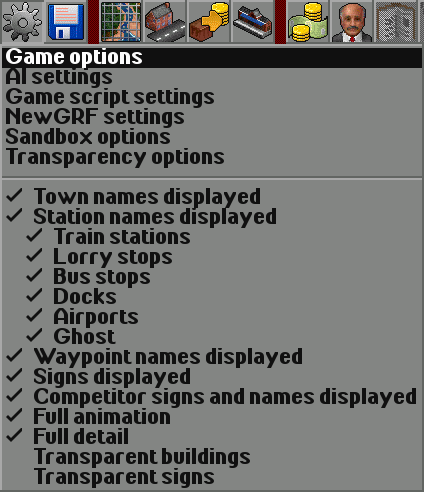
Section titled “Changing settings”Settings work as in OpenTTD. On the main toolbar, click Options and settings (the gear), then Game options:
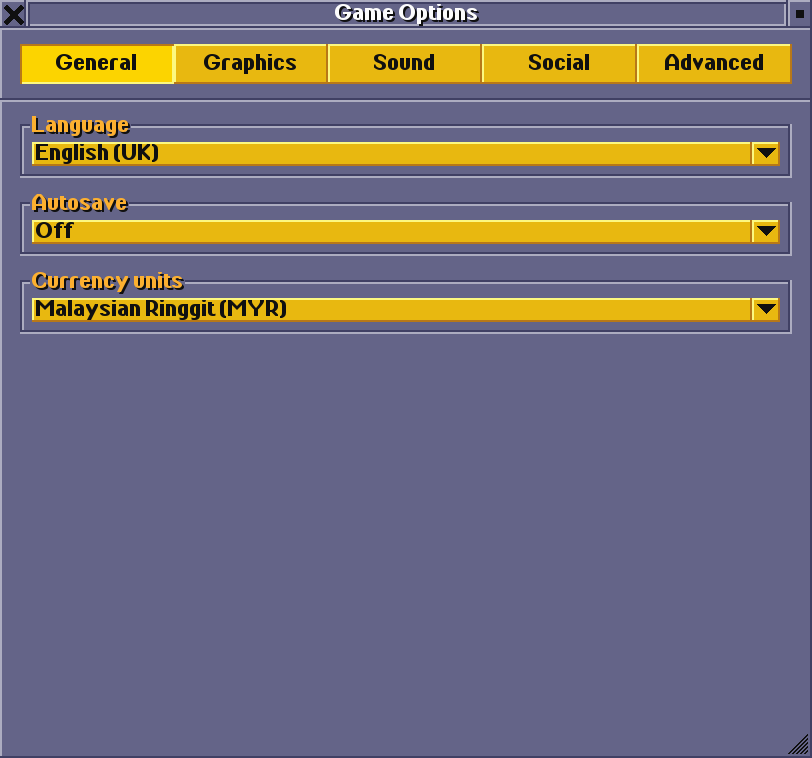
- The General tab has the language, the autosave interval and the currency. Wira Bandar’s screenshots use Malaysian Ringgit (MYR).
- The Advanced tab has all the other settings in a tree, Wira Bandar’s among them. Most of them are under Environment → Towns; the settings reference lists them all.
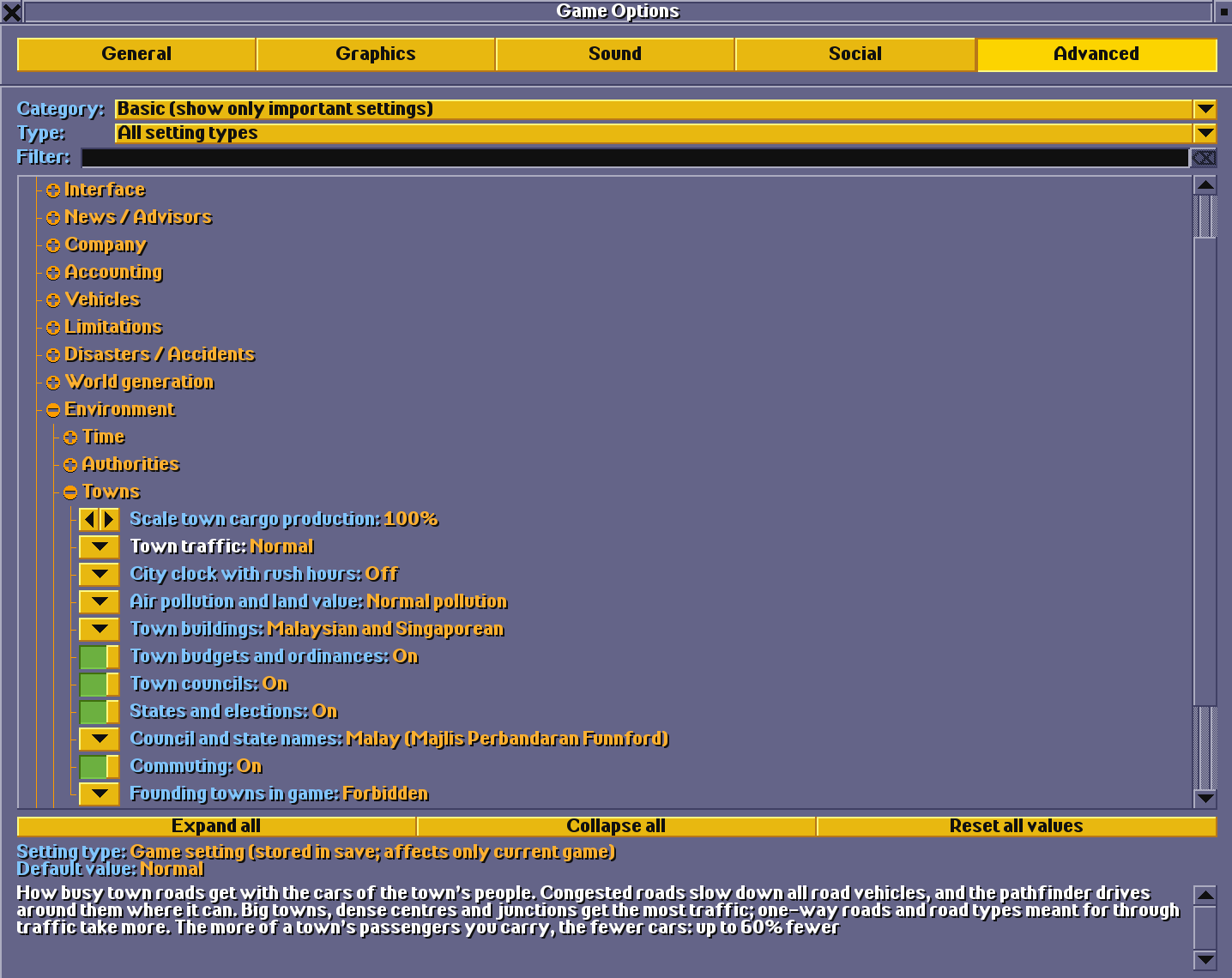
Settings changed in the main menu are for new games. Settings changed during a game are stored in that game’s save; the window says which kind a setting is (Setting type under the list).
Wira Bandar PC is a fork of OpenTTD. It is OpenTTD's code with changes, not a game made from scratch. OpenTTD is made by the OpenTTD team and contributors and is free software under theGNU General Public License version 2; Wira Bandar PC keeps that licence, OpenTTD's credits and copyright notices.Source code ·OpenTTD ·About and credits
Wira Bandar PC is not made or supported by the OpenTTD team, so please don't report its bugs to OpenTTD (see FAQ and troubleshooting).