
Run a council's services
Wira Bandar PC is a fork of OpenTTD: OpenTTD's code with changes, free software under the GNU GPL v2. About and credits
A town’s council builds clinics, schools, parks and the rest from its own savings, but it can be slow to afford the big ones. In this tutorial you read a city council’s plans, pay towards the service it wants next, see it built the same day, and check the result in the council’s report the next January. It takes a few minutes, plus some months of game time at the end.
The pictures come from a game in May 2010: Gafingfield, a city of 14,480 people, and a company called Laju Transit with about RM500,000 in the bank. Any town with a council works the same way.
Before you start
Section titled “Before you start”- Town councils must be on (it is by default), and with it Town budgets and ordinances. See town councils for the setting.
- The news names your company. If yours still says Unnamed, name it first: on the main toolbar, click Company (the face icon; tooltip Open general company information), choose your company, then click Company Name.
- Have some money ready: co-funding costs at least a quarter of the service’s price.
1. Open the town and read its council
Section titled “1. Open the town and read its council”- On the main toolbar, click Towns (the houses icon; tooltip Open town directory or found town) and choose Town directory, or press F5.
- Click the town’s name in the list. The main view jumps to it.
- Click the town’s name sign in the main view. The town window opens.
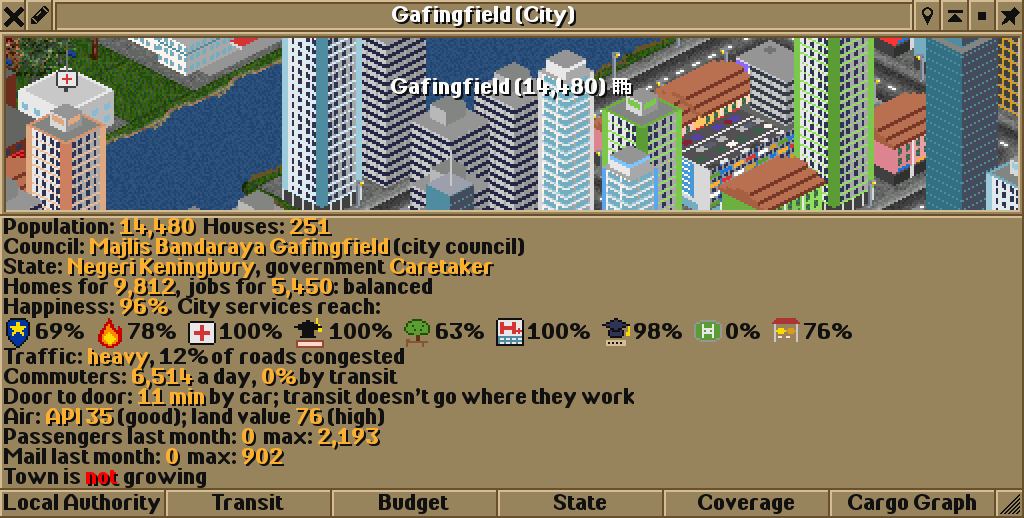
The Council: line says who runs the town: here Majlis Bandaraya Gafingfield, a city council. Under City services reach: each icon shows how much of the town one kind of service reaches, in this order: police, fire, clinics, schools, parks, hospitals, universities, stadiums and hawker centres. Gafingfield has no stadium at all (0%), and its police stations reach 69% of it.
Councils aim to reach 70% of a town with police, and a city of 8,000 people or more wants a stadium of its own, however well its other services do. So Gafingfield lacks two things. The council decides which comes first.
2. Read the council’s plans in the Budget window
Section titled “2. Read the council’s plans in the Budget window”- In the town window, click Budget. The window is titled with the council’s name: Majlis Bandaraya Gafingfield - Budget and ordinances.
- Read the New services: line: the service the council will build next, its price, and what the council can spend on it now.
- Read the Yearly report: line: how last January’s report judged the council’s services, estates and finances.
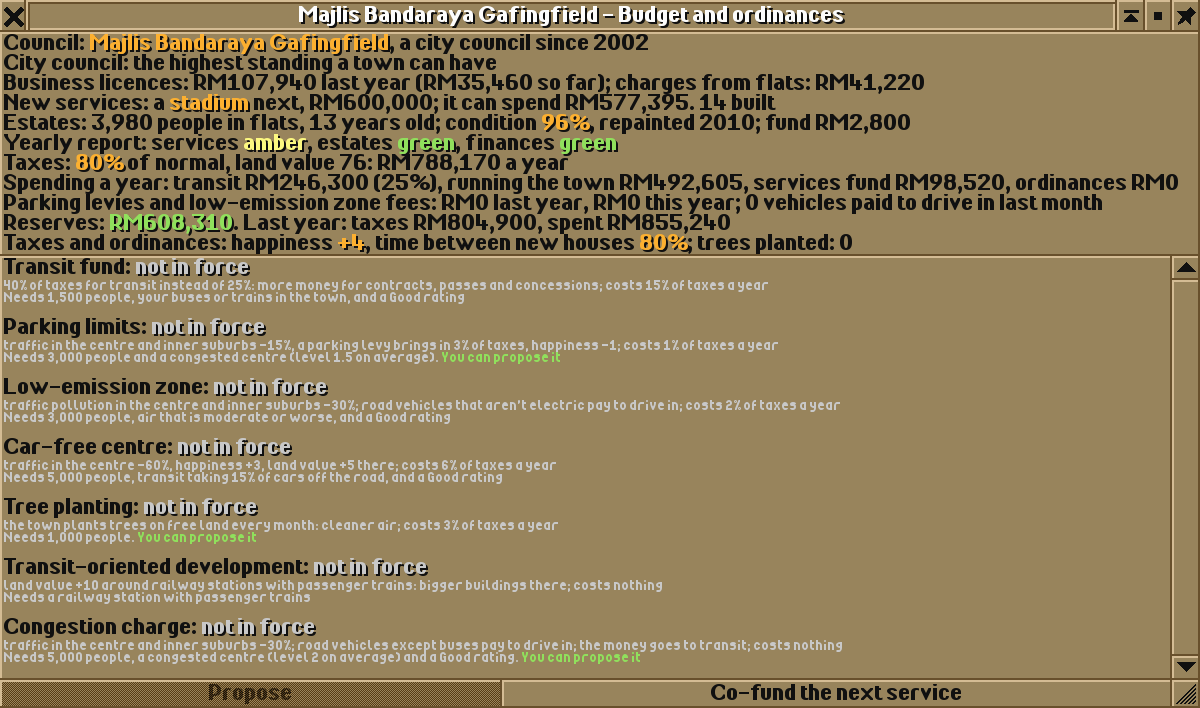
The stadium comes first. The council already has most of the money: it can spend its services fund and the town’s reserves above half a year’s taxes, RM577,395 in all. It would build the stadium on its own as soon as it can spend the full price.
3. Co-fund the stadium
Section titled “3. Co-fund the stadium”- In the Budget window, click Co-fund the next service (bottom right).
- The council builds the stadium at once, and the news says so, naming your company.
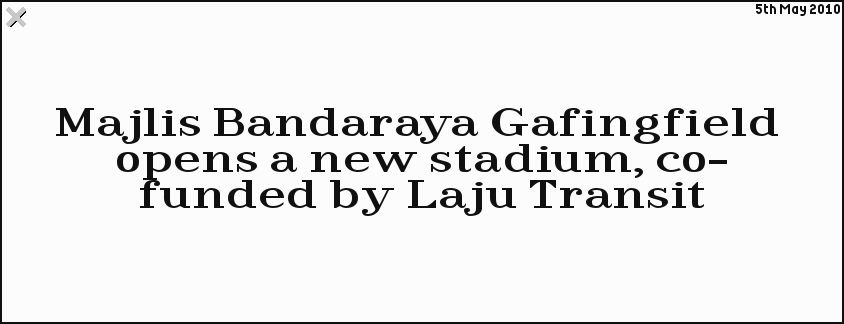
Your money goes down by RM150,000. The New services: line now names the council’s next service, and the council builds that one as soon as it can afford it. If the council can’t find free land for a service, the button refuses with … the council has found no free land for it, and you pay nothing.
The town also thinks better of your company: its rating goes up by about one step, up to Very Good. Click Local Authority in the town window to see it.

4. See where it was built
Section titled “4. See where it was built”Click the news report. The main view moves to the new stadium. (To find a report again later, click Messages on the main toolbar, the newspaper icon, tooltip Open last message/news report, messages history or delete all messages, choose Message history and click the report.)
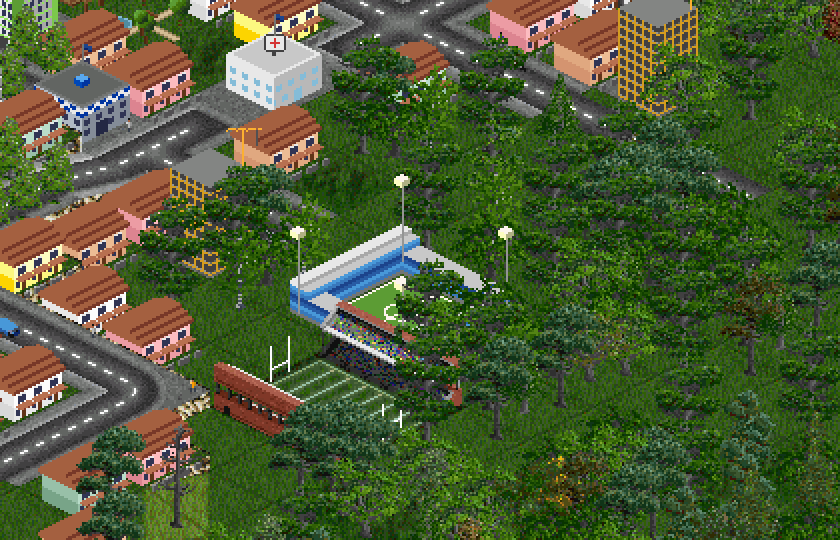
A council builds on free land (grass, rough land or trees, not zoned for homes, businesses or industry) near its town, where the building reaches the most people who lack that service. Its buildings are drawn in dark blue, the council’s colour. The council runs them from the town’s budget, so they cost your company nothing, and you can’t remove them.
5. Read the next report
Section titled “5. Read the next report”The report comes each January. Let the game run until then: click the fast forward button on the main toolbar (the double arrow; tooltip Fast forward the game), and click it again to stop.
- In the new year, open the town window again and look at City services reach:. The stadium icon now shows how much of the town the stadium reaches.
- Click Budget and read the Yearly report: line.
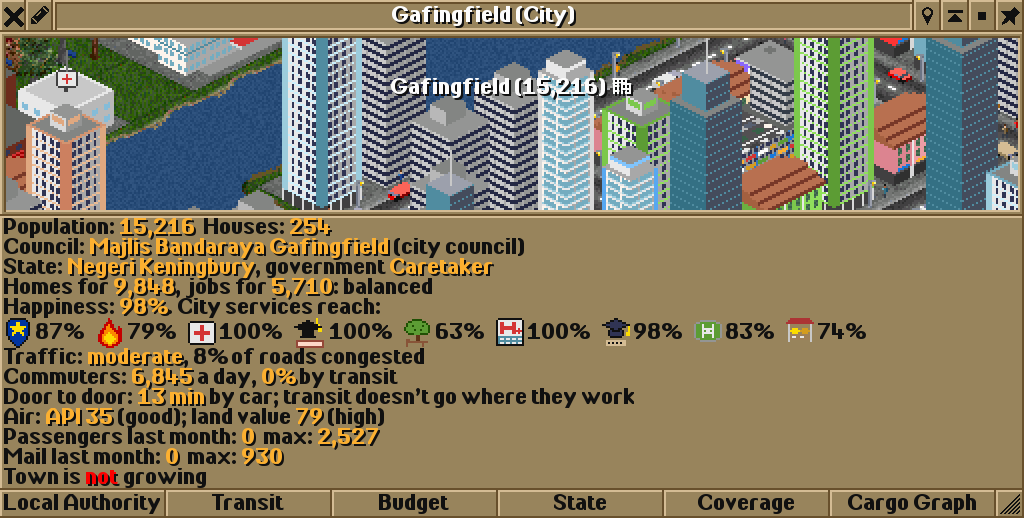
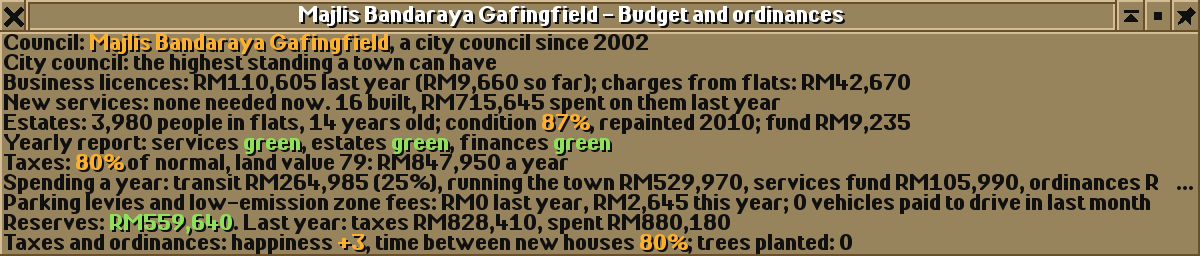
The services rating is the average reach of the services the council may build: police, fire, clinics, schools, parks and hawker centres, and for a town of 8,000 or more that is a municipality or city, stadiums. At 75% on average it is green, from 45% amber. Gafingfield went from amber to green, and its council needs nothing new for now, so its Co-fund the next service button is greyed out.
What next
Section titled “What next”- Try a small town: its district council has little money, so co-funding its next clinic or school makes a bigger difference.
- A stadium draws crowds by transit on match days (see city services): run a bus past it.
- Happier towns grow faster and vote on their services: see states and elections.
See also
Section titled “See also”Wira Bandar PC is a fork of OpenTTD. It is OpenTTD's code with changes, not a game made from scratch. OpenTTD is made by the OpenTTD team and contributors and is free software under theGNU General Public License version 2; Wira Bandar PC keeps that licence, OpenTTD's credits and copyright notices.Source code ·OpenTTD ·About and credits
Wira Bandar PC is not made or supported by the OpenTTD team, so please don't report its bugs to OpenTTD (see FAQ and troubleshooting).