
Zoning
Wira Bandar PC is a fork of OpenTTD: OpenTTD's code with changes, free software under the GNU GPL v2. About and credits
Zoning tells towns what they may build where: homes on one patch, shops and offices on another, and land kept clear for a factory, an airport, a station or a park. Towns still grow on their own, but on zoned land they follow your plan. Zoning is free and works anywhere on the map.
Zone an area
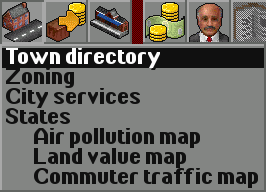
Section titled “Zone an area”- On the main toolbar, click Towns (the houses icon; tooltip Open town directory or found town) and choose Zoning, or press Shift+Z. The Zoning toolbar opens.
- Pick a zone with its button, or with a number key while the toolbar is open (see the table below).
- Drag over the map to zone an area, up to 128 by 128 tiles at a time. A bigger drag gives Can’t zone this area… … area too large, zone at most 128 by 128 tiles at a time.
- To take zoning away again, pick the last button (the red cross) and drag over the area.
| Button | Key | Tooltip | What towns do there |
|---|---|---|---|
| House | 1 | Zone land for homes | Build only houses, flats and public buildings such as churches, mosques and temples |
| Blue tower | 2 | Zone land for shops and offices | Build only businesses (offices, shops, hotels, cinemas) and public buildings |
| Yellow factory | 3 | Zone land for industry | Build nothing: no town buildings and no new town roads |
| Tree | 4 | Zone land for parks | Build nothing: no town buildings and no new town roads |
| Red cross | 5 | Remove zoning | Build as usual |
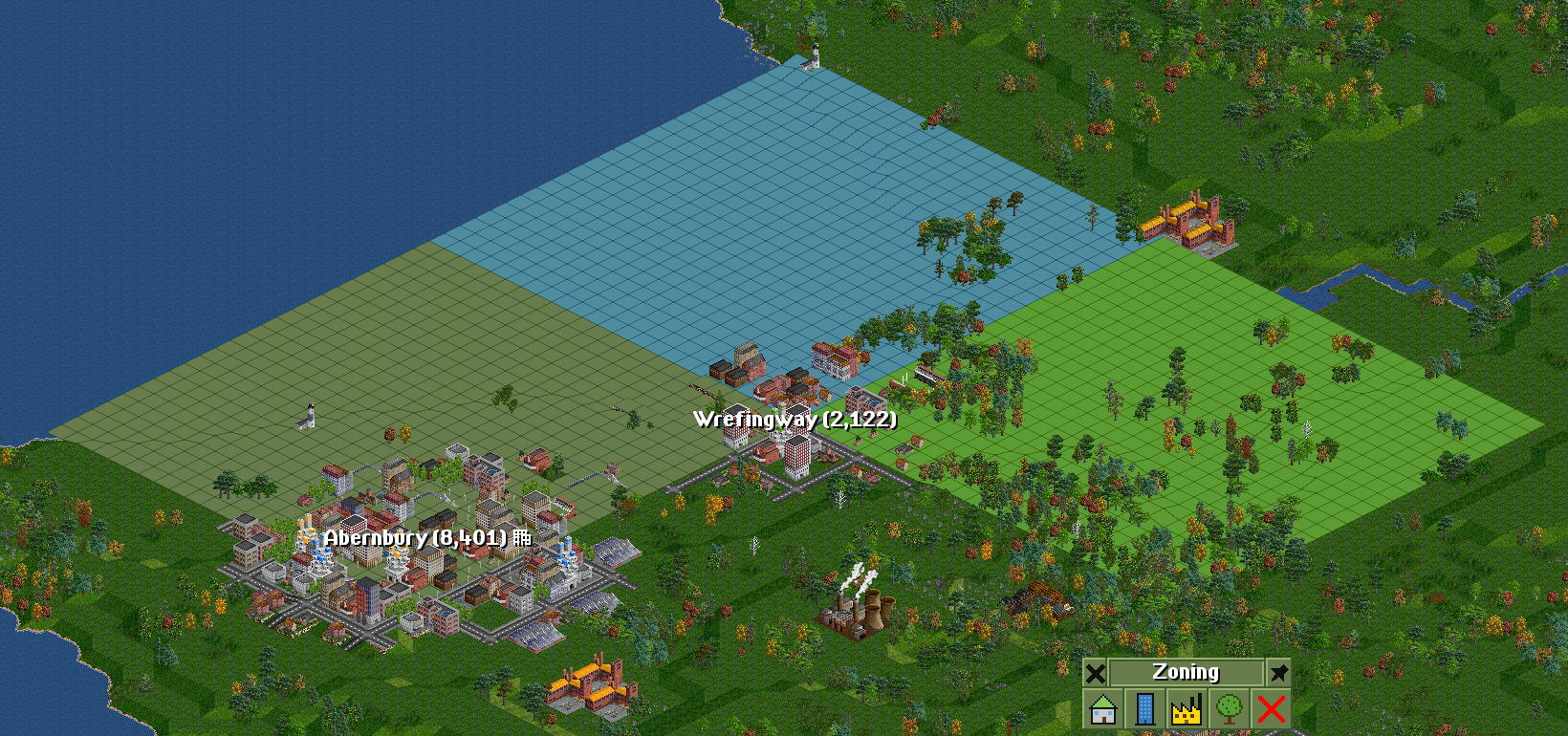
While the toolbar is open, the main view tints zoned land in the colour of its zone: green for homes, light blue for shops and offices, yellow for industry, dark green for parks. The buttons use the same colours. Zoomed out the tint is a solid colour; close up it is a fine pattern over the ground. The tint goes when you close the toolbar.
How it works
Section titled “How it works”- Homes land gets houses and flats, and public buildings (churches, stadiums, mosques, Chinese temples and the like), never shops or offices.
- Shops and offices land gets businesses and public buildings, never homes. Towns put businesses there wherever it is in town, not only in the centre where OpenTTD normally puts its offices, so a commercial zone at the edge of town fills up too.
- Industry and parks land stays free of the town: no town buildings, and no new town road, road stub, bridge end or tunnel exit. Keep it for a factory, an airport, a station or green space. Zoning doesn’t bring industries or parks by itself: it only keeps the town off the land.
- A building on several tiles needs all of its tiles zoned for it (or not zoned at all), so big buildings such as HDB slab blocks and malls need room of the right kind.
- Unzoned land works as in OpenTTD.
Zoning doesn’t knock anything down: buildings and roads already there stay. A growing town replaces old houses from time to time, and the new building has to fit the zone; on land zoned for industry or parks it builds nothing in its place.
Which buildings count as what:
| Zoning counts it as | Buildings |
|---|---|
| A home | OpenTTD’s houses, cottages and flats; kampung houses, terrace houses, walk-up flats, HDB blocks, condominiums |
| A business | Offices, shops, hotels, theatres, cinemas, shopping centres; shophouses, office blocks, glass towers, mixed developments, the landmark tower, supermarkets, shopping complexes, malls and hypermarkets |
| A public building | Churches, statues, fountains, parks and stadiums; mosques and Chinese temples |
A house from a NewGRF counts as the original building it stands in for when the NewGRF is missing.
What you see
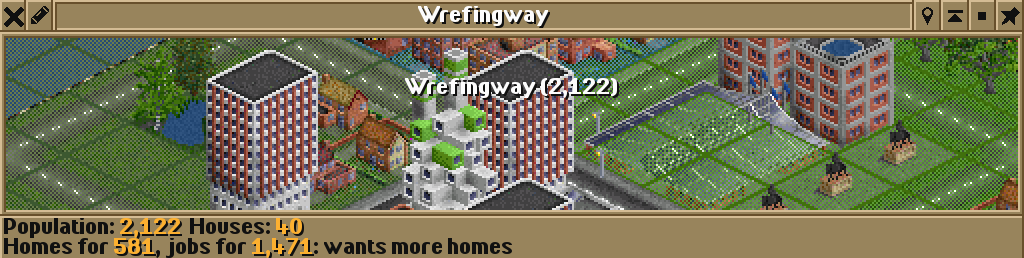
Section titled “What you see”The town window says how many people live in homes and how many work in businesses, and what the town lacks: Homes for …, jobs for … followed by wants more homes, wants more shops and offices or balanced. About one job for every two residents counts as balanced. People in public buildings count for neither. This is advice for your zoning: it doesn’t change how the town grows. Towns full of OpenTTD’s office blocks often ask for homes; villages ask for shops.
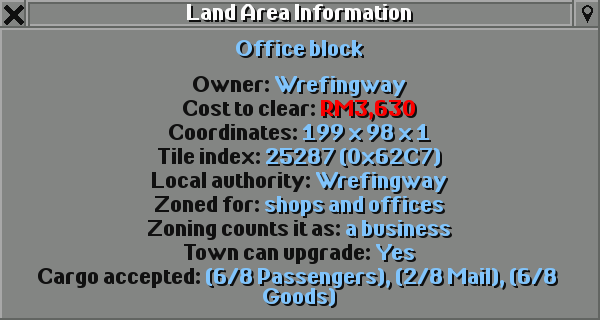
Land information tells you a tile’s zone. On the main toolbar, click Help (the question mark; tooltip Open land information, screenshot menu, credits, or developer tools), choose Land area information and click a tile. A zoned tile shows Zoned for: homes, shops and offices, industry or parks. A town building also shows Zoning counts it as: a home, a business or a public building.
- Zone before the town gets there. Zoning an area already built up changes it only slowly, as old houses are replaced.
- Zone land for industry along a planned railway or around a future station or airport, so the town doesn’t build over it.
- Land kept free for industry and parks is land the town can’t grow onto. A town ringed by such zones ends up with fewer people.
- Land zoned for parks is still open to green things: town councils may build their city services there (never on land zoned for homes, shops and offices or industry), and a town with the tree planting ordinance plants trees there.
- Follow the town window’s advice: zone homes for a town that wants homes, shops and offices for one that wants them.
Switching it off
Section titled “Switching it off”There is nothing to switch off: land you don’t zone works as in OpenTTD. To undo zoning, drag over it with the Remove zoning button (the red cross).
See also
Section titled “See also”- City services and happiness
- Malaysian and Singaporean buildings and shops
- Commuting: where people live and work decides where they drive
- Town budgets and ordinances: tree planting
- Town councils: where councils build their services
Wira Bandar PC is a fork of OpenTTD. It is OpenTTD's code with changes, not a game made from scratch. OpenTTD is made by the OpenTTD team and contributors and is free software under theGNU General Public License version 2; Wira Bandar PC keeps that licence, OpenTTD's credits and copyright notices.Source code ·OpenTTD ·About and credits
Wira Bandar PC is not made or supported by the OpenTTD team, so please don't report its bugs to OpenTTD (see FAQ and troubleshooting).